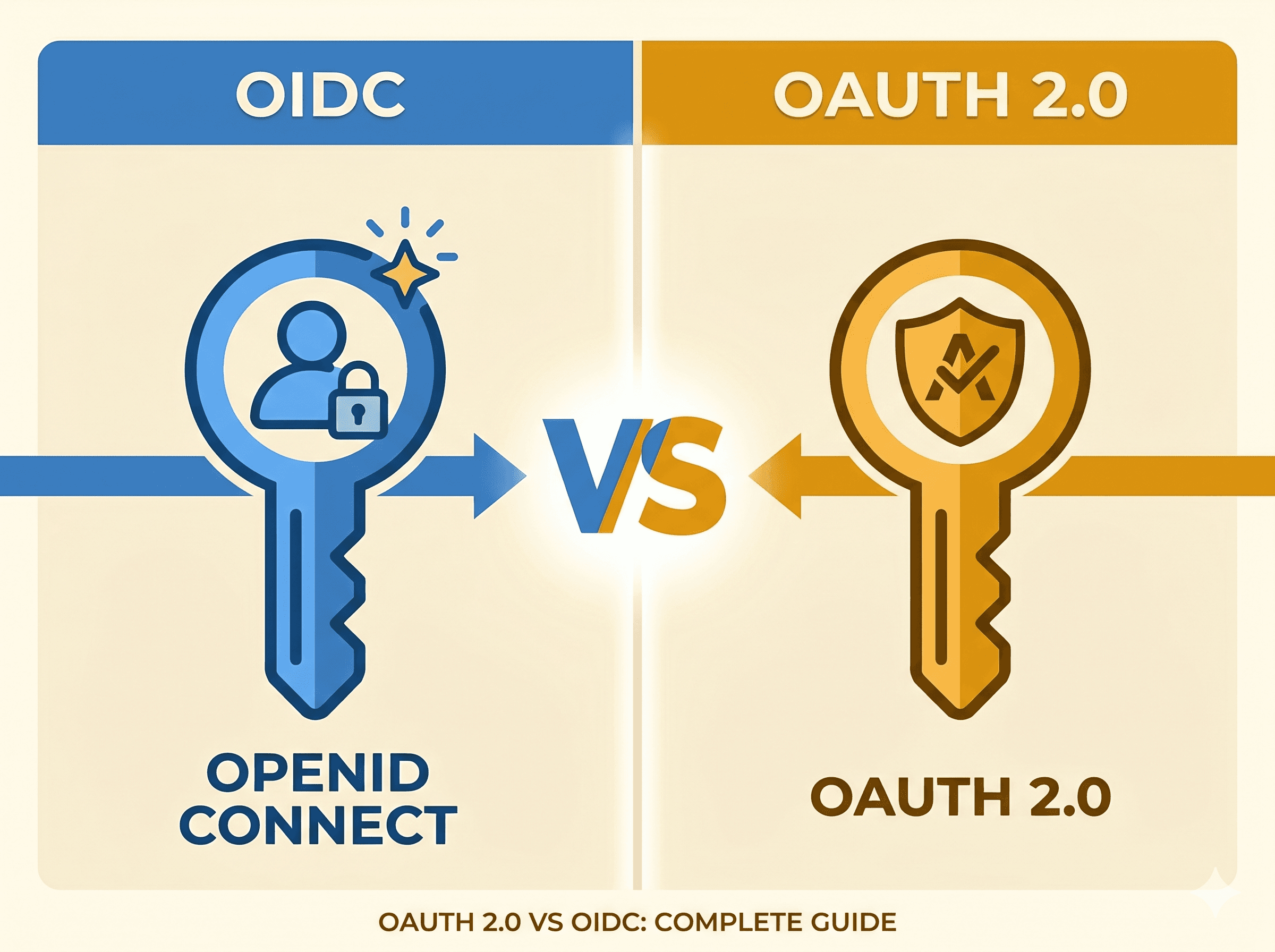
Key Relationship: OIDC is built ON TOP of OAuth 2.0. It adds an identity layer to the authorization framework.
Real-World Analogy
The Nightclub Scenario
Imagine going to an exclusive nightclub with two different entry methods:
OAuth 2.0 = VIP Wristband 🎟️
The bouncer gives you a wristband
Wristband says: "Can enter VIP section" and "Can order from premium bar"
What it doesn't say: Your name, age, or who you are
It's just permission to access areas
OIDC = VIP Wristband + Driver's License 🎟️ + 🪪
Same wristband for permissions
PLUS a window showing your driver's license with:
Your photo
Your name: "John Doe"
Your ID number: 123456
This proves WHO you are, not just what you can do
The Technical Translation
When you authenticate with a provider:
Critical Point: You typically get BOTH tokens in an OIDC flow. They're siblings, not replacements for each other.
How OAuth 2.0 Works
The Protocol Flow
Scenario: A third-party app wants to access your GitHub repositories.
Step 1: User clicks "Connect to GitHub"
Step 2: GitHub asks permission
Shows: "MyApp wants to access your repositories"
User clicks "Authorize"
Step 3: GitHub redirects back
Step 4: App exchanges code for token
POST https://github.com/login/oauth/access_tokenContent-Type:application/x-www-form-urlencodedclient_id=abc123&
client_secret=secret456&
code=xyz789&
redirect_uri=https://myapp.com/callback
POST https://github.com/login/oauth/access_tokenContent-Type:application/x-www-form-urlencodedclient_id=abc123&
client_secret=secret456&
code=xyz789&
redirect_uri=https://myapp.com/callback
POST https://github.com/login/oauth/access_tokenContent-Type:application/x-www-form-urlencodedclient_id=abc123&
client_secret=secret456&
code=xyz789&
redirect_uri=https://myapp.com/callback
GET https://api.github.com/user/repos
Authorization:Bearer gho_16C7e42F292c6912E7710c838347Ae178B4a
GET https://api.github.com/user/repos
Authorization:Bearer gho_16C7e42F292c6912E7710c838347Ae178B4a
GET https://api.github.com/user/repos
Authorization:Bearer gho_16C7e42F292c6912E7710c838347Ae178B4a
Notice: OAuth 2.0 doesn't tell you who the user is. You only get an access token for API calls. To get user identity, you need an additional API call to GET /user.
How OIDC Works
The Protocol Flow
Scenario: User signs in to your app with Google.
Step 1: User clicks "Sign in with Google"
Key Differences from OAuth:
scope includes openid (required for OIDC)
scope includes profile and email (identity scopes)
Step 2: Google asks permission
Shows: "MyApp wants to: See your profile info, View your email address"
User clicks "Continue"
Step 3: Google redirects back
Step 4: App exchanges code for tokens
POST https://oauth2.googleapis.com/tokenContent-Type:application/x-www-form-urlencodedgrant_type=authorization_code&
code=auth_code_123&
redirect_uri=https://myapp.com/callback&client_id=123.apps.googleusercontent.com&
client_secret=secret456
POST https://oauth2.googleapis.com/tokenContent-Type:application/x-www-form-urlencodedgrant_type=authorization_code&
code=auth_code_123&
redirect_uri=https://myapp.com/callback&client_id=123.apps.googleusercontent.com&
client_secret=secret456
POST https://oauth2.googleapis.com/tokenContent-Type:application/x-www-form-urlencodedgrant_type=authorization_code&
code=auth_code_123&
redirect_uri=https://myapp.com/callback&client_id=123.apps.googleusercontent.com&
client_secret=secret456
importjwtimportrequests# Fetch Zitadel's JWKSjwks = requests.get('https://zitadel.company.com/oauth/v2/keys').json()defverify_token(token):
# Get key ID from token headerunverified = jwt.get_unverified_header(token)key_id = unverified['kid']# Find matching public keyforkeyinjwks['keys']:
ifkey['kid'] == key_id:
public_key = jwt.algorithms.RSAAlgorithm.from_jwk(key)break# Verify and decodepayload = jwt.decode(token,public_key,algorithms=['RS256'],audience=CLIENT_ID,issuer='https://zitadel.company.com')returnpayload# Contains sub, email, name, etc.
importjwtimportrequests# Fetch Zitadel's JWKSjwks = requests.get('https://zitadel.company.com/oauth/v2/keys').json()defverify_token(token):
# Get key ID from token headerunverified = jwt.get_unverified_header(token)key_id = unverified['kid']# Find matching public keyforkeyinjwks['keys']:
ifkey['kid'] == key_id:
public_key = jwt.algorithms.RSAAlgorithm.from_jwk(key)break# Verify and decodepayload = jwt.decode(token,public_key,algorithms=['RS256'],audience=CLIENT_ID,issuer='https://zitadel.company.com')returnpayload# Contains sub, email, name, etc.
importjwtimportrequests# Fetch Zitadel's JWKSjwks = requests.get('https://zitadel.company.com/oauth/v2/keys').json()defverify_token(token):
# Get key ID from token headerunverified = jwt.get_unverified_header(token)key_id = unverified['kid']# Find matching public keyforkeyinjwks['keys']:
ifkey['kid'] == key_id:
public_key = jwt.algorithms.RSAAlgorithm.from_jwk(key)break# Verify and decodepayload = jwt.decode(token,public_key,algorithms=['RS256'],audience=CLIENT_ID,issuer='https://zitadel.company.com')returnpayload# Contains sub, email, name, etc.
What you handle yourself:
OIDC protocol implementation
Token storage
Token refresh
Session management
User database
Backend verification logic
Scenario 3: GitHub OAuth (Pure OAuth 2.0)
Important: GitHub does NOT implement OIDC. It's OAuth 2.0 only.
Frontend:
// Same OAuth flow as aboveconst[request,response,promptAsync] = AuthSession.useAuthRequest({clientId:CLIENT_ID,scopes:['user:email'],// OAuth scope, not OIDCredirectUri,usePKCE:true,},{authorizationEndpoint:'https://github.com/login/oauth/authorize',tokenEndpoint:'https://github.com/login/oauth/access_token',});
// Same OAuth flow as aboveconst[request,response,promptAsync] = AuthSession.useAuthRequest({clientId:CLIENT_ID,scopes:['user:email'],// OAuth scope, not OIDCredirectUri,usePKCE:true,},{authorizationEndpoint:'https://github.com/login/oauth/authorize',tokenEndpoint:'https://github.com/login/oauth/access_token',});
// Same OAuth flow as aboveconst[request,response,promptAsync] = AuthSession.useAuthRequest({clientId:CLIENT_ID,scopes:['user:email'],// OAuth scope, not OIDCredirectUri,usePKCE:true,},{authorizationEndpoint:'https://github.com/login/oauth/authorize',tokenEndpoint:'https://github.com/login/oauth/access_token',});
Critical Difference: You only get an access token, not an ID token!
You MUST make an extra API call:
// After getting access_tokenconstuserResponse = awaitfetch('https://api.github.com/user',{headers:{'Authorization':`Bearer ${access_token}`}});constuser = awaituserResponse.json();// user = { login: "john", id: 12345, email: "john@example.com", ... }
// After getting access_tokenconstuserResponse = awaitfetch('https://api.github.com/user',{headers:{'Authorization':`Bearer ${access_token}`}});constuser = awaituserResponse.json();// user = { login: "john", id: 12345, email: "john@example.com", ... }
// After getting access_tokenconstuserResponse = awaitfetch('https://api.github.com/user',{headers:{'Authorization':`Bearer ${access_token}`}});constuser = awaituserResponse.json();// user = { login: "john", id: 12345, email: "john@example.com", ... }
This is the key difference:
OIDC providers (Google, Apple, Zitadel) give you identity in the token
OAuth-only providers (GitHub) require an extra API call to get identity
Mobile App Considerations
Why Mobile is Different
Challenge 1: No Web Server
Web apps have a backend server to receive callbacks
Mobile apps need custom URL schemes
Solution: Custom URL Schemes
Challenge 2: Can't Keep Secrets
Native apps can't securely store client secrets
Anyone can decompile your app and extract secrets
Solution: PKCE (Proof Key for Code Exchange)
Standard OAuth extension specifically for native apps
Uses a temporary secret generated per-login
Even if intercepted, the attacker can't use the authorization code
How PKCE Works:
Challenge 3: Secure Token Storage
Can't store tokens in localStorage (no browser)
AsyncStorage is not encrypted
Solution: expo-secure-store
import*asSecureStorefrom'expo-secure-store';// Store tokenawaitSecureStore.setItemAsync('id_token',token);// Retrieve tokenconsttoken = awaitSecureStore.getItemAsync('id_token');// Delete tokenawaitSecureStore.deleteItemAsync('id_token');
import*asSecureStorefrom'expo-secure-store';// Store tokenawaitSecureStore.setItemAsync('id_token',token);// Retrieve tokenconsttoken = awaitSecureStore.getItemAsync('id_token');// Delete tokenawaitSecureStore.deleteItemAsync('id_token');
import*asSecureStorefrom'expo-secure-store';// Store tokenawaitSecureStore.setItemAsync('id_token',token);// Retrieve tokenconsttoken = awaitSecureStore.getItemAsync('id_token');// Delete tokenawaitSecureStore.deleteItemAsync('id_token');
Mobile OIDC Flow with PKCE
import*asAuthSessionfrom'expo-auth-session';import*asSecureStorefrom'expo-secure-store';constredirectUri = AuthSession.makeRedirectUri({scheme:'myapp',path:'callback'});const[request,response,promptAsync] = AuthSession.useAuthRequest({clientId:'123@project',scopes:['openid','profile','email'],redirectUri,usePKCE:true,// REQUIRED!},{authorizationEndpoint:'https://provider.com/oauth/v2/authorize',tokenEndpoint:'https://provider.com/oauth/v2/token',});// The request object automatically:// 1. Generates code_verifier// 2. Creates code_challenge (hash of verifier)// 3. Includes code_challenge in auth URL// When exchanging code for tokens:// AuthSession automatically includes code_verifier
import*asAuthSessionfrom'expo-auth-session';import*asSecureStorefrom'expo-secure-store';constredirectUri = AuthSession.makeRedirectUri({scheme:'myapp',path:'callback'});const[request,response,promptAsync] = AuthSession.useAuthRequest({clientId:'123@project',scopes:['openid','profile','email'],redirectUri,usePKCE:true,// REQUIRED!},{authorizationEndpoint:'https://provider.com/oauth/v2/authorize',tokenEndpoint:'https://provider.com/oauth/v2/token',});// The request object automatically:// 1. Generates code_verifier// 2. Creates code_challenge (hash of verifier)// 3. Includes code_challenge in auth URL// When exchanging code for tokens:// AuthSession automatically includes code_verifier
import*asAuthSessionfrom'expo-auth-session';import*asSecureStorefrom'expo-secure-store';constredirectUri = AuthSession.makeRedirectUri({scheme:'myapp',path:'callback'});const[request,response,promptAsync] = AuthSession.useAuthRequest({clientId:'123@project',scopes:['openid','profile','email'],redirectUri,usePKCE:true,// REQUIRED!},{authorizationEndpoint:'https://provider.com/oauth/v2/authorize',tokenEndpoint:'https://provider.com/oauth/v2/token',});// The request object automatically:// 1. Generates code_verifier// 2. Creates code_challenge (hash of verifier)// 3. Includes code_challenge in auth URL// When exchanging code for tokens:// AuthSession automatically includes code_verifier
Provider Comparison
Feature
Clerk
Zitadel
Auth0
Firebase Auth
DIY
Hosting
Managed
Self-hosted
Managed
Managed
Self-hosted
OIDC Protocol
Abstracted
Full implementation
Abstracted
Abstracted
You implement
Mobile SDK
Excellent
Manual
Good
Good
None
Social Login
Built-in
Manual config
Built-in
Limited
Manual
User Management
Built-in
Built-in
Built-in
Built-in
You build
Token Refresh
Automatic
Manual
Automatic
Automatic
You implement
Backend Verification
SDK
JWT library
SDK
SDK
JWT library
Cost Model
Per-user
Free/Self
Per-user
Free tier
Infrastructure
When to Choose Each
Choose Clerk when:
Speed of development is critical
You want built-in user analytics
You need teams/organizations feature
You don't want to maintain auth infrastructure
Choose Zitadel/Keycloak when:
Data sovereignty is required (GDPR, HIPAA)
Cost at scale matters (no per-user fees)
You need full control over the protocol
You want self-hosted for compliance
Choose Auth0/Firebase when:
You're already in that ecosystem
You want managed but not Clerk-specific features
You need specific integrations they offer
Choose DIY (implement OIDC yourself) when:
You have very specific requirements
You want to deeply understand the protocol
You're building an auth provider
Not recommended for production apps - security is hard
PKCE is REQUIRED for mobile apps. Without it, intercepted authorization codes can be used by attackers.
// Always set usePKCE: trueconst[request,response,promptAsync] = AuthSession.useAuthRequest({clientId:CLIENT_ID,scopes:['openid','profile','email'],redirectUri,usePKCE:true,// NEVER FALSE FOR MOBILE},// ...);
// Always set usePKCE: trueconst[request,response,promptAsync] = AuthSession.useAuthRequest({clientId:CLIENT_ID,scopes:['openid','profile','email'],redirectUri,usePKCE:true,// NEVER FALSE FOR MOBILE},// ...);
// Always set usePKCE: trueconst[request,response,promptAsync] = AuthSession.useAuthRequest({clientId:CLIENT_ID,scopes:['openid','profile','email'],redirectUri,usePKCE:true,// NEVER FALSE FOR MOBILE},// ...);
3. Store Tokens Securely
// Good: Encrypted storageimport*asSecureStorefrom'expo-secure-store';awaitSecureStore.setItemAsync('token',value);// Bad: Unencrypted storageimportAsyncStoragefrom'@react-native-async-storage/async-storage';awaitAsyncStorage.setItem('token',value);// DON'T DO THIS
// Good: Encrypted storageimport*asSecureStorefrom'expo-secure-store';awaitSecureStore.setItemAsync('token',value);// Bad: Unencrypted storageimportAsyncStoragefrom'@react-native-async-storage/async-storage';awaitAsyncStorage.setItem('token',value);// DON'T DO THIS
// Good: Encrypted storageimport*asSecureStorefrom'expo-secure-store';awaitSecureStore.setItemAsync('token',value);// Bad: Unencrypted storageimportAsyncStoragefrom'@react-native-async-storage/async-storage';awaitAsyncStorage.setItem('token',value);// DON'T DO THIS
Why: If an access token is stolen, the window of attack is limited.
5. Validate Email Before Trusting
ifnotpayload.get('email_verified'):
# Don't use this email for password resets# Don't consider account fully verified# Maybe require additional verification
ifnotpayload.get('email_verified'):
# Don't use this email for password resets# Don't consider account fully verified# Maybe require additional verification
ifnotpayload.get('email_verified'):
# Don't use this email for password resets# Don't consider account fully verified# Maybe require additional verification
6. Use State Parameter (CSRF Protection)
// AuthSession handles this automatically// But if implementing manually:conststate = generateRandomString(32);// Store state in memory// Include in auth URL// Verify state matches when redirect returns
// AuthSession handles this automatically// But if implementing manually:conststate = generateRandomString(32);// Store state in memory// Include in auth URL// Verify state matches when redirect returns
// AuthSession handles this automatically// But if implementing manually:conststate = generateRandomString(32);// Store state in memory// Include in auth URL// Verify state matches when redirect returns